📱 How to Open Your Kit on Android
Follow the step-by-step guide below to download, extract, and open your Startup Kit using Adobe Acrobat Reader on your Android device.
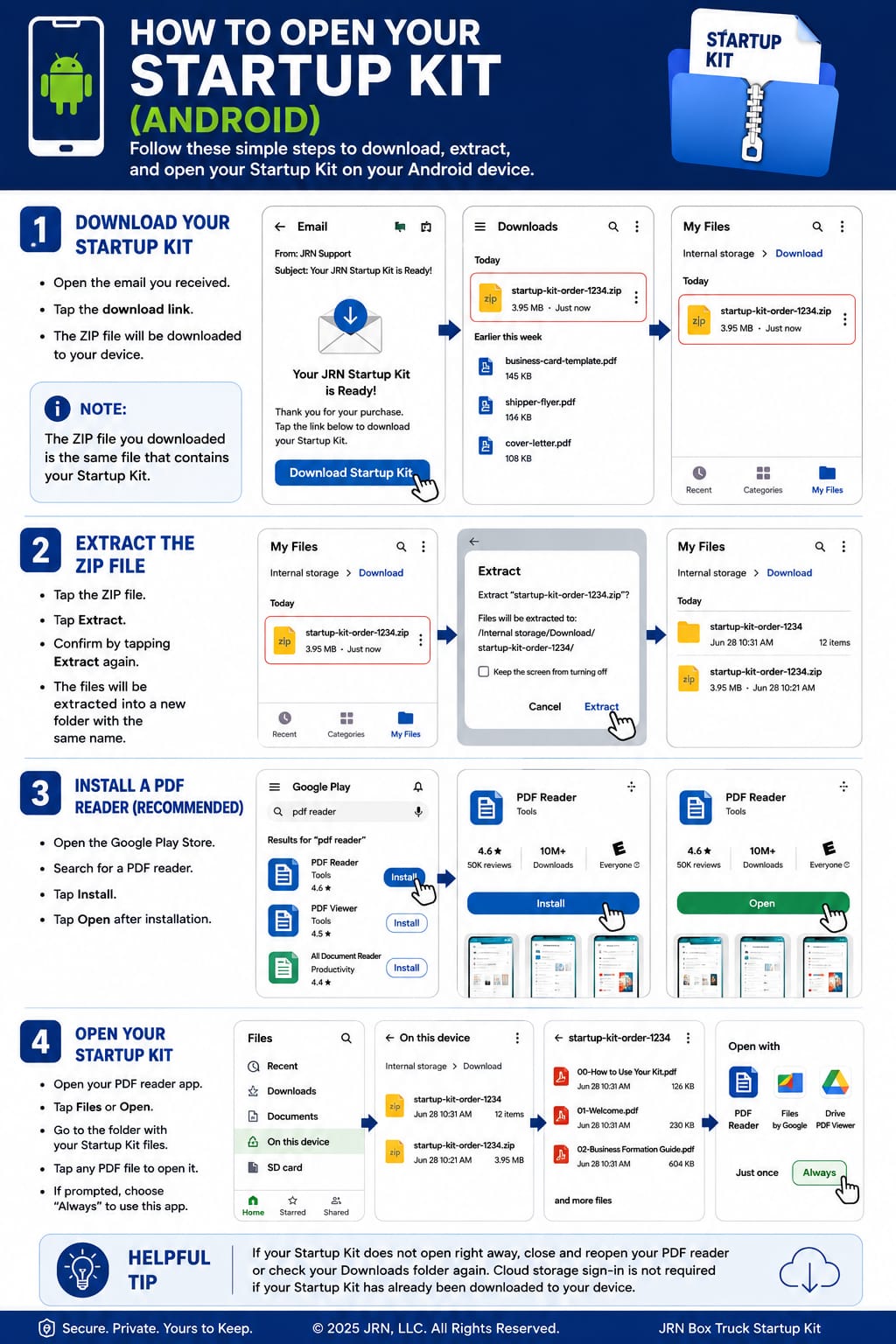
📊 Opening Excel Calculators on Android ($750 Complete Kit)
The $750 kit includes Excel calculator files (.xlsx) in addition to the PDF guides. Adobe Acrobat Reader cannot open these — you'll need the free Microsoft Excel app (or another compatible spreadsheet app).
- After extracting the ZIP file, locate the .xlsx calculator files in the extracted Startup Kit folder.
- Download and install the free Microsoft Excel app from the Google Play Store if it is not already installed.
- Open the Microsoft Excel app.
- Browse to the extracted Startup Kit folder and tap the calculator you want to use.
Note: Adobe Acrobat Reader is used for the PDF guides, forms, and instructions. The Excel calculator files require Microsoft Excel or another compatible spreadsheet application.
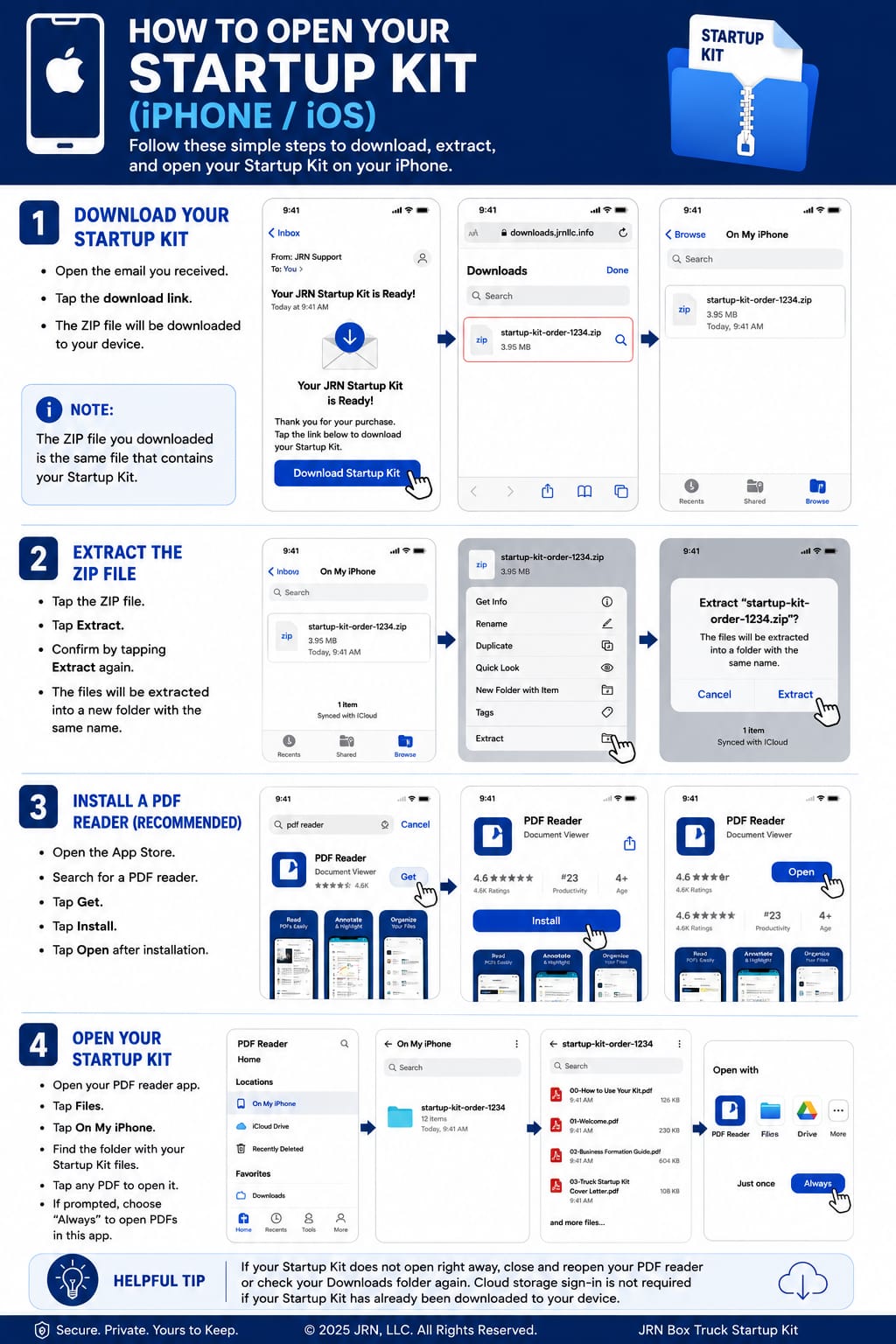
🅾 How to Open Your Kit on iPhone
Follow the step-by-step guide below to install Adobe Acrobat Reader and open your Startup Kit on your iPhone using Safari.
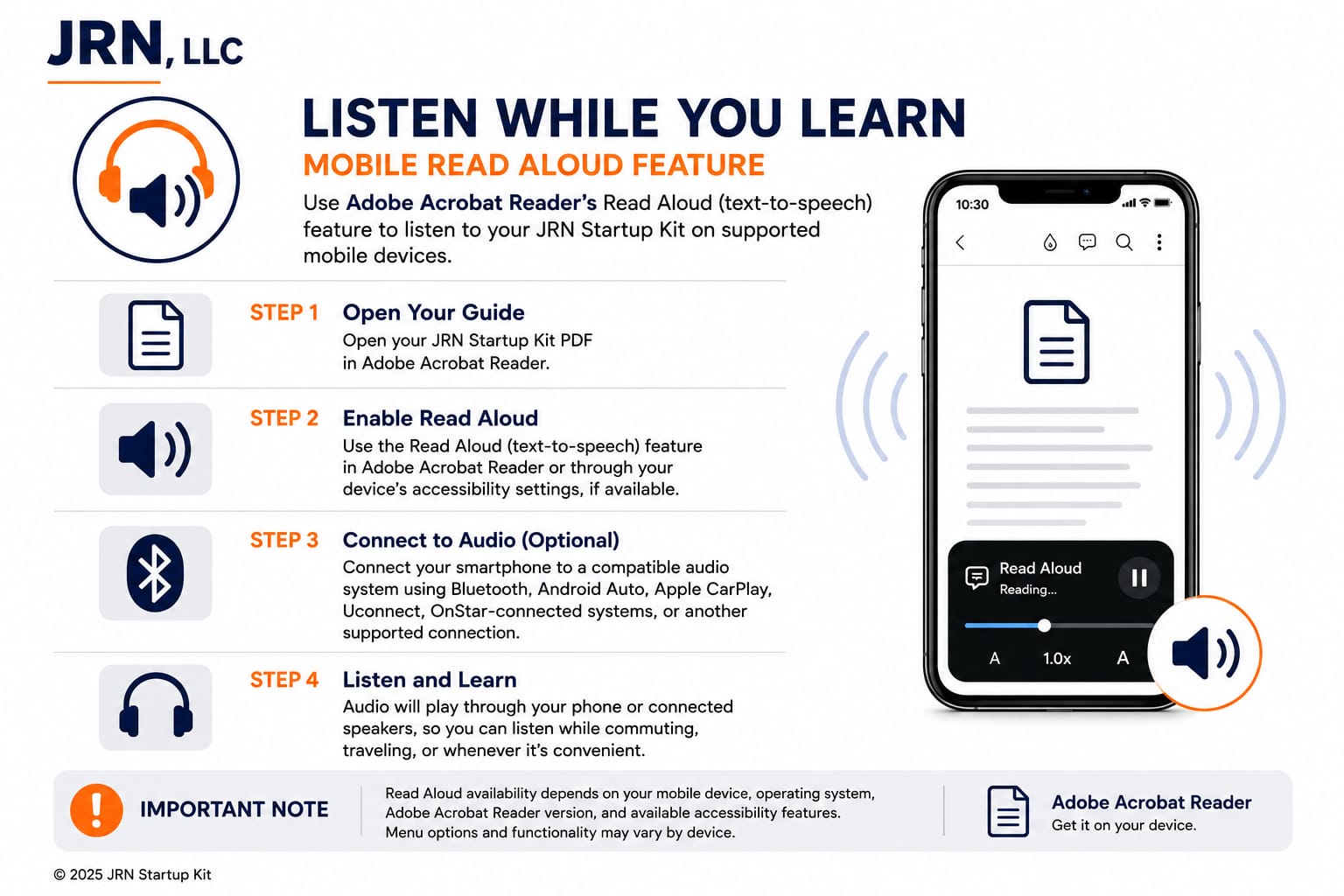
🔊 Listen While You Learn
Adobe Acrobat Reader can read your Startup Kit documents aloud — a handy option if you'd rather listen than read on the go.
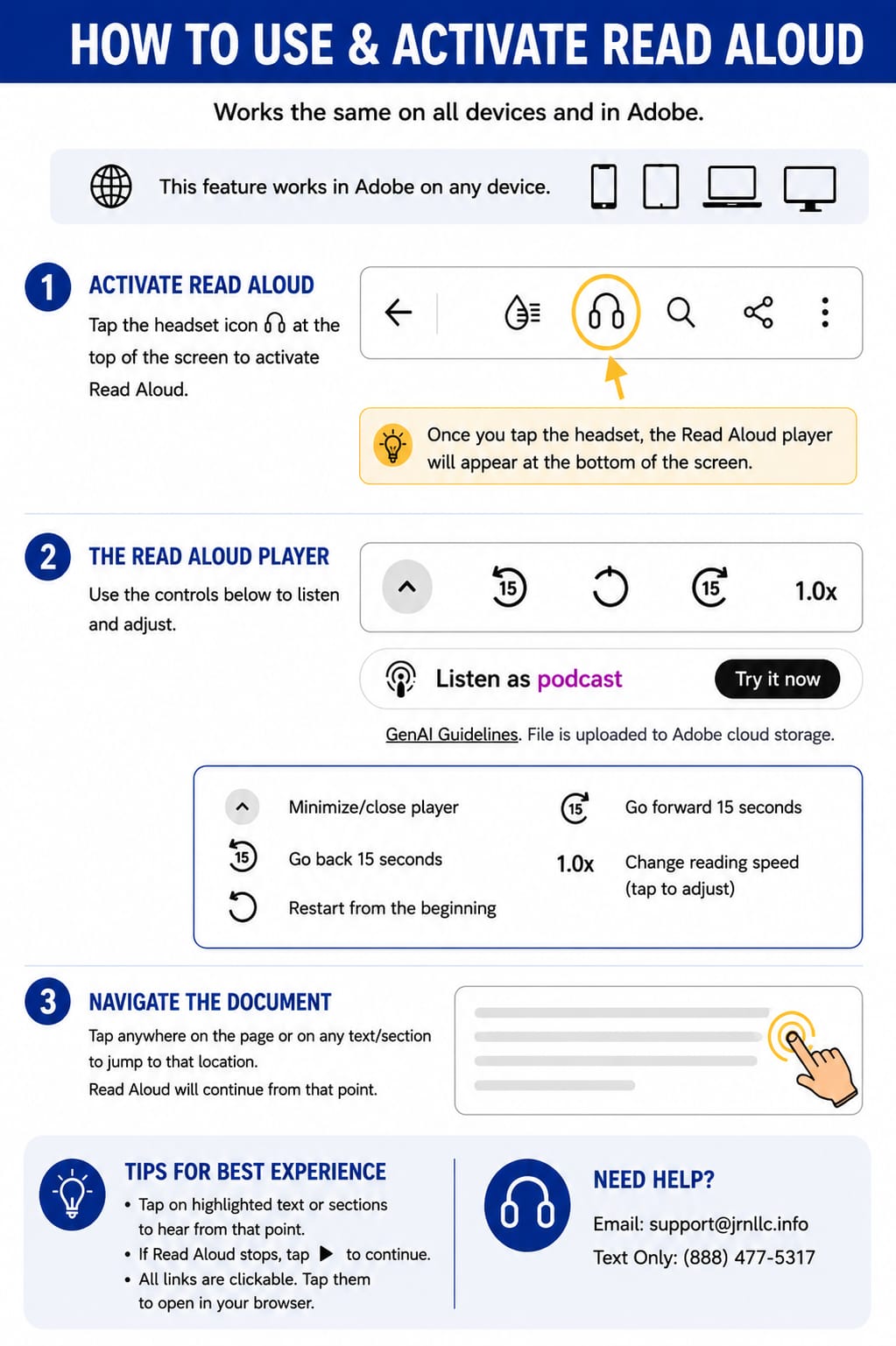
🔈 How to Use & Activate Read Aloud
Read Aloud works the same on all devices and in Adobe. The guide below shows how to activate it, use the player controls, and navigate your document hands-free.
For best results, use Adobe Acrobat Reader (free) on both Android and iPhone — no subscription required.